


read time 6 minutes
Context
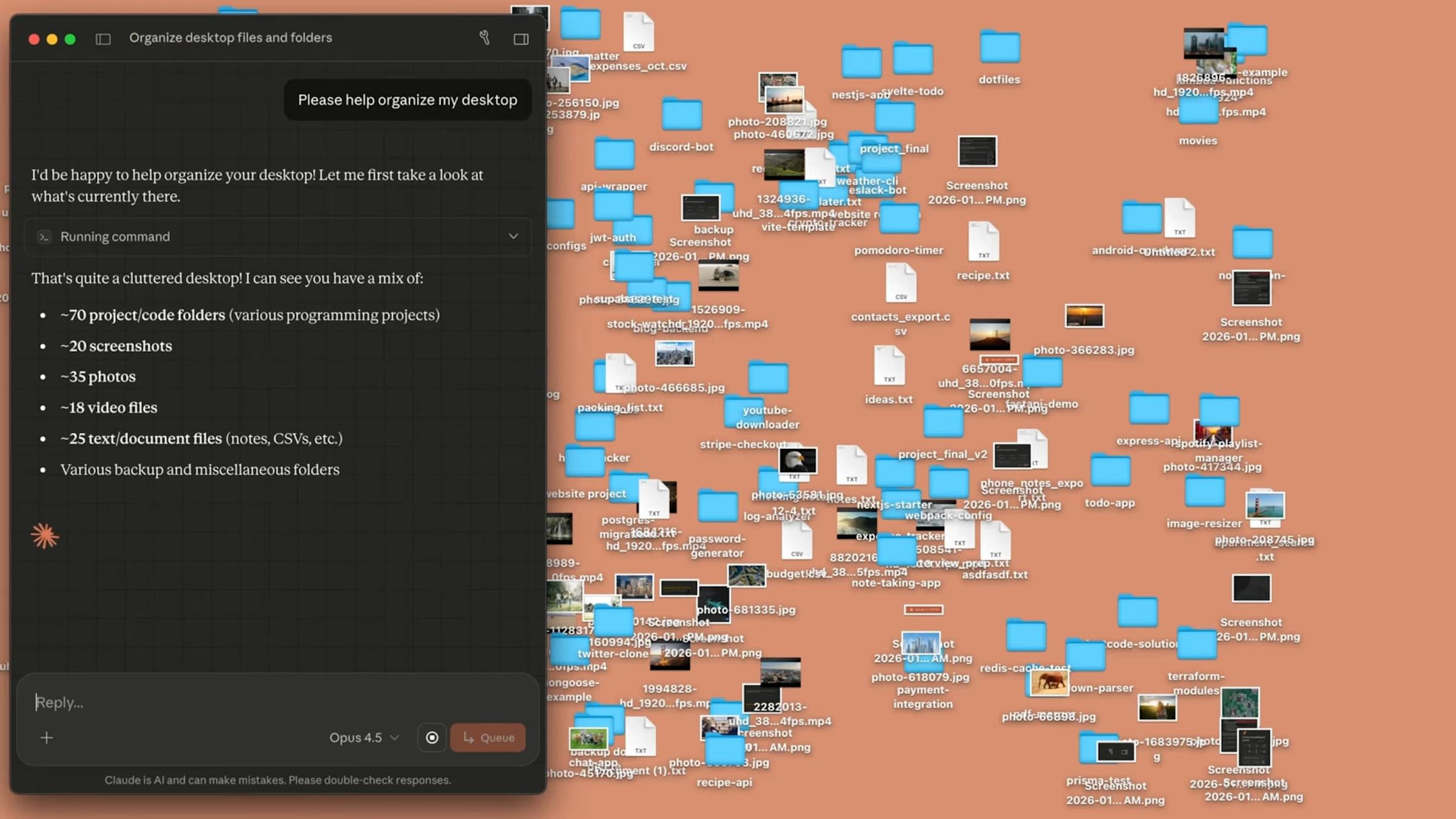
I hadn’t organized my Documents folder since 2022 and it was built for a version of me that was still in school, still early-career, still treating “save everything just in case” as a system. I’m a PM at Adobe now. I publish a newsletter. I have side hustles. I vibe-code projects. I invest. I create content. My file system was still organized for a grad student who might need those folders someday.
Someday had long passed.
So when Anthropic launched Claude Cowork: an AI tool that can actually touch your files and execute tasks on your computer, I figured, perfect use case. Just a little reorganizing right? Not a massive overhaul… just reframe things, move some folders, and optimize the structure for my life today.
I build AI-powered product experiences as a PM. I figured if anyone could get a good result out of this, it’d be me.
What Happened
I gave Claude clear instructions: no deletions, move files don’t copy them, dump anything uncertain into a holding folder. It scanned my 66GB Documents folder and, to its credit, identified real problems. Education files duplicated across two locations eating 23GB each. Immigration docs scattered across 14 different folders. Work files sitting in “Archives” even though I currently use them, and ultimately, lacked a structure that reflected major pillars of my life. It proposed a cleaner structure, and I said go.
Then my 66GB became 102GB.
I watched the terminal scroll for ten minutes, creating folders I never asked for, duplicating files into structures that made sense to no one. By the time it finished, my Documents folder looked like someone had shaken it like a snow globe.
Somewhere between my instruction to “move” and Claude’s execution, copy commands replaced move commands. When sessions timed out mid-operation (which happened constantly with larger folders), copies landed in the new location while originals stayed put. Duplicates that already existed got tripled. Watching your storage bar climb while knowing all your important paperwork lives somewhere in that expanding mess is a uniquely modern kind of anxiety. The files aren’t gone, probably.
The session got long and Claude started losing context. Forgetting constraints I’d set earlier. Re-proposing solutions we’d already tried. Losing track of what had moved and what hadn’t. I opened a new chat hoping fresh context would help. It didn’t.
The Undo
The one thing I did do before any of this was take a full backup. So I restored it. Wiped the mess. Back to zero.
I sat there for a second, because here’s the thing about restoring from backup: you’re right back where you started, except now you’ve also wasted three hours and have a much clearer picture of what not to do. Which, if you squint, is a kind of progress.
So I did the whole thing myself.
The Part That Actually Mattered
Manually sorting through 66GB sounds tedious, and it was. But it forced something Claude never could have: actual decisions.
Every folder was a question I’d been avoiding. What’s the boundary between “active work” and “archive” when you’re mid-career and your identity is still shifting? Where does Product Rookies end and personal writing begin… or does it? Which immigration documents need to be two clicks away versus buried deep? Why was I still holding onto every assignment from college like I might need to prove I graduated?
The system I used, PARA, calls one of its categories (the last ‘A’) “Archives.” That word had stopped feeling right to me. Archive implies done. But my Walmart experience isn’t archived, it’s foundational. My Economics education isn’t stored away, it shows up in how I think every day. Calling something an “archive” is an identity claim disguised as a folder name. And I’d been making that claim on autopilot for years.
These aren’t file system decisions. They’re identity questions wearing folder names as costumes. And you can’t outsource identity to an AI, no matter how good the model is, because the model doesn’t know who you’re becoming and what you need. Only you do.
By the time I finished, the structure wasn’t just clean, it was mine. It reflected how I actually think and work right now, with room for where I’m headed - not how a framework said I should organize things three years ago.
The Flip
Here’s where it gets interesting.
I went back to Claude. Same tool that had just spent three hours creating a 36GB mess. But this time I didn’t ask it to figure out my system. I asked it to read the structure I’d built, understand the logic behind it, and recreate it in Notion - extending it into a connected workspace across content, projects, finances, life admin.
After learning from my mistakes, I wanted to make sure we properly visualized what it was going to create ahead of time. So I asked Cowork to create an interactive dashboard to show me the new structure, here’s the prompt I used:
Read my existing folder structure. Don’t reorganize anything. Map what’s there, understand the logic behind it, and give me an interactive snapshot I can use to build a Notion second brain.
It did a great job:
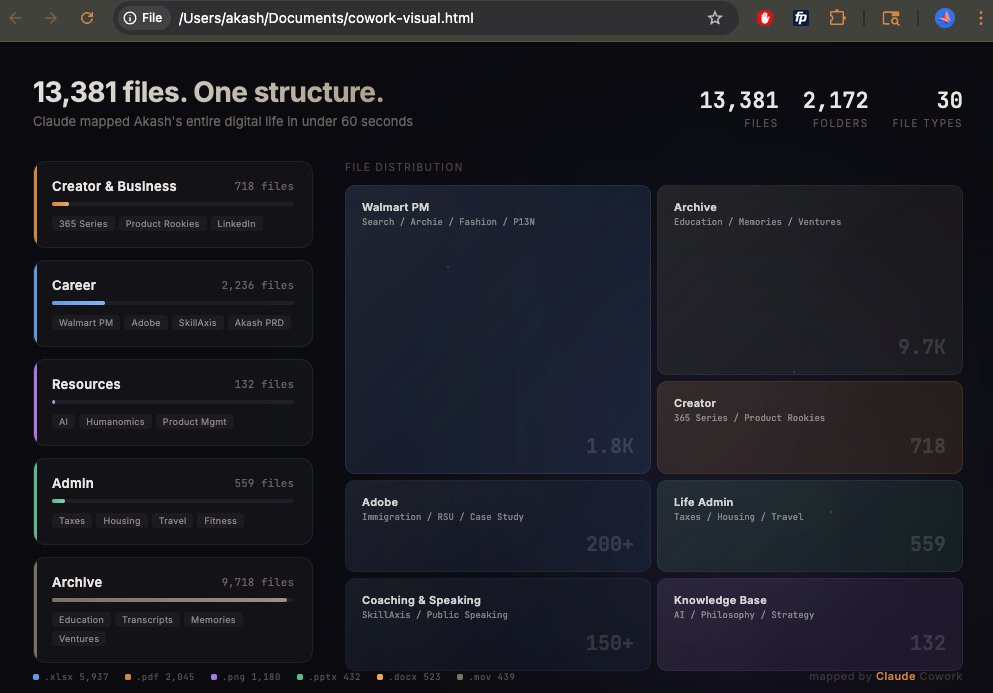
After playing around a bit with the dashboard and the written summary to go with it, I approved and asked it to proceed with the Notion creation. It nailed it, close to first try. Same tool, same user, but completely different result.
The difference was what I asked it to do.
Round one was: here’s an ambiguous mess, make it better. Claude had to interpret my intent, infer my priorities, make judgment calls about categorization, and execute complex file operations simultaneously, with too many degrees of freedom and too little clarity about what actually mattered to me.
Round two was: here’s a clear, opinionated structure that a human already built based on some logic. Understand it, replicate it, and extend it.
Round one was construction without a blueprint, round two had a blueprint as a starting point.
The Bigger Pattern
I build AI agents at Adobe. Enterprise-grade systems that help Fortune 500 brands make real-time decisions about audiences, personalization, targeting. The pattern I saw on my laptop is the same one I see at work:
When someone says “let’s use AI to figure it out,” what they usually mean is “we haven’t decided yet.”
AI is extraordinary at extending, optimizing, and scaling clear decisions across contexts. It’s significantly weaker at making those decisions in the first place - especially when they’re entangled with identity, priority, and judgment. The tool doesn’t know what matters to you. It can only observe the patterns you’ve already established and multiply them.
Which means the most important input to any AI isn’t the prompt. It’s the clarity of thought that exists before the prompt. Structure isn’t just organization, it’s crystallized decision-making. AI amplifies decision clarity.
I went into this thinking Claude would just handle it. What I learned is that “handle it” only works when “it” is well-defined. When it’s not, when you’re asking AI to navigate ambiguity that’s actually yours to resolve, you get 102GB and a panic attack about your important paperwork.
The Takeaway
I’ll use Cowork again, I’ll probably use it often. But I’ll come to it differently.
Not with a vague ask and hope. With decisions clearly called out, structure already built, and a bounded task that plays to what AI is genuinely great at - replication, extension, pattern-matching across systems.
The move that worked wasn’t asking Claude to organize my life. It was organizing my life myself, then asking Claude to scale it.
And maybe that’s the real lesson: sometimes the most productive thing an AI tool can do is fail badly enough to force you into the thinking you were trying to skip. That messy, manual, surprisingly satisfying work of deciding what matters, what’s active, what’s done, and who you’re solving for - that’s not the part before the AI. That is the product. Everything after is execution.
— Akash